Sony Xperia
Released in Year 2014. 5 Years since i last touch this and it is now back in my hands
Received it for repair. Phone is pattern lock when switch on
So how i removed it by doing a Firmware reset.
Booted the phone into fastboot mode, downloaded the Firmware for Xperia and flashed it.
Using the downgrading method. Sourcing for an Android 4.4. Build number 17.1.2.A.0.314
And than software update it to the latest Android 6.0.1. Build number 23.5.A.1.291
Thursday, November 14, 2019
Huawei P9 - Factory Reset Protection Lock (Google FRP)
Huawei P9
Received it for repair. While setting it up it was locked at the Google screen and require Sign in
Playing with its software I notice that the security patch level has been updated to the latest version and there was no way to unlock it.
Instead of downgrading the software to the older version. I found another way by connecting it up with my PC.
Downloaded some software into the MicroSD card, Inserted it into the phone and installed it.
It's works and i successful unlocked the phone. The Google lock has been earsed
Galaxy S9 Plus
Samsung Galaxy S9 Plus
Power Button is faulty. Phone totally cannot switch on and off
So how i fixed it. By installing an app
The app do the trick by changing the behaviour of Volume Button to work as the Power Button
So now the phone function normally.
Downloading an additional lock screen app will allow using soft key to lock the phone using a single touch
Oppo R9s
This is Oppo R9s
Phone is stuck in a bootloop. As shown it is updating and wont bootup
So what i did was to download the Qualcomm HS-USB 9008 driver
I than use the MsmDownloadTool_Firehose together with the Oppo firmware to flash it.
by booting the phone into fastboot mode
The emmc has been reprogram and wiped
And It works the phone bootup and function normally
Galaxy S8+
Samsung Galaxy S8+
Customer sent in for a repair. Phone was stuck in a bootloop and unable to boot at the Samsung Logo
Checked with customer as he did rooted it and because of a wrong file that cause the phone bricked
So i did the repair by flashing it with a Official Samsung firmware
The phone now back to normal.
Gear Sport
Samsung Gear Sport
Receive it from one of my customer for repair
The Watch is powered by Tizen OS 3
It was stuck on a bootloop and cannot be booted up
As shown Current Binary: Custom. So i asked the customer if he did flashed some custom rom that led to a device bricked
I downloaded the Samsung Official firmware and flashed it. Now it is booting up
RedMi Note 5A
RedMi Note 5A
Phone cannot startup and bootlooping on the Mi logo.
So i dismantled the phone connected it up to the PC and reflashed the firmware
Now it is booting up , but it is stuck on the Mi Account lock.
So i used some tools to re-write the emmc persist.img partition now the Mi Account lock has been removed.
Galaxy Note 8
Another successful projects again. I managed to unlock the password for Google Lock on this device
Samsung Galaxy Note 8
Phone is running on Android 8.0 Oreo and Security Patch Level 1st December 2018
Build R16NW.N950FXXU4CRGA
While playing around with the phone, I found no way and is impossible to bypass the lock screen
In the attempt to trick the device into accessing the web browser
1.) Galaxy Note 8
2.) Google Pixel XL
I used another android phone and sent a text message with a http:// URL link.
And it.. opened a web browser. I downloaded some software and installed it into the phone.
The software is written in Java by a developer what it does is to crash the lock screen so that it can be bypass
I than turn on OEM unlocking and USB debugging. In the developer options/settings menu. Once it has been turned on
The phone can be flashed to factory settings using official firmware
RedMi 4A
Finally manage to crack/repair this phone. I spent my whole weekend Sunday into looking for solution
1st time that I felt bad headache when I had used too much brainpower
RedMi 4X. Phone was bootlooping at the XiaoMi Logo
So what I did was by downloading some firmware and using Fastboot to flash it.
As XiaoMi has implement some security features to prevent unauthorized factory reset it was totally impossible to remove the Google account that was locked to this phone
As shown in the photos the Find My Device and Android Device Manager has been disabled.
Oppo R15
After many attempt to crack the password for this OPPO device. I successfully removed the password lock on it
As OPPO has updated and patched the software Security Patch Level May 2018
I was smart enough to found a vulnerability/weakness. Managed to crack it
The device is now fully functional with no password lock.
Wednesday, November 13, 2019
XiaoMi Note 4X
XiaoMi Note 4X
Phone is Google and Mi Account locked so what I did to earse the protection
I dismantled it and boot into EDL Mode (Qualcomm HS-USB QDLoader 9008)
Flashed a modified persist.img
The phone bootup and the Account lock has been removed but there is issue with the Wifi and Sensor
I downloaded the official firmware from XiaoMi MIUI , and unzip the tar file
Extracted the Wifi and Sensor and reflashed the Modem

The phone bootup and the Account lock has been removed but there is issue with the Wifi and Sensor
I downloaded the official firmware from XiaoMi MIUI , and unzip the tar file
Extracted the Wifi and Sensor and reflashed the Modem

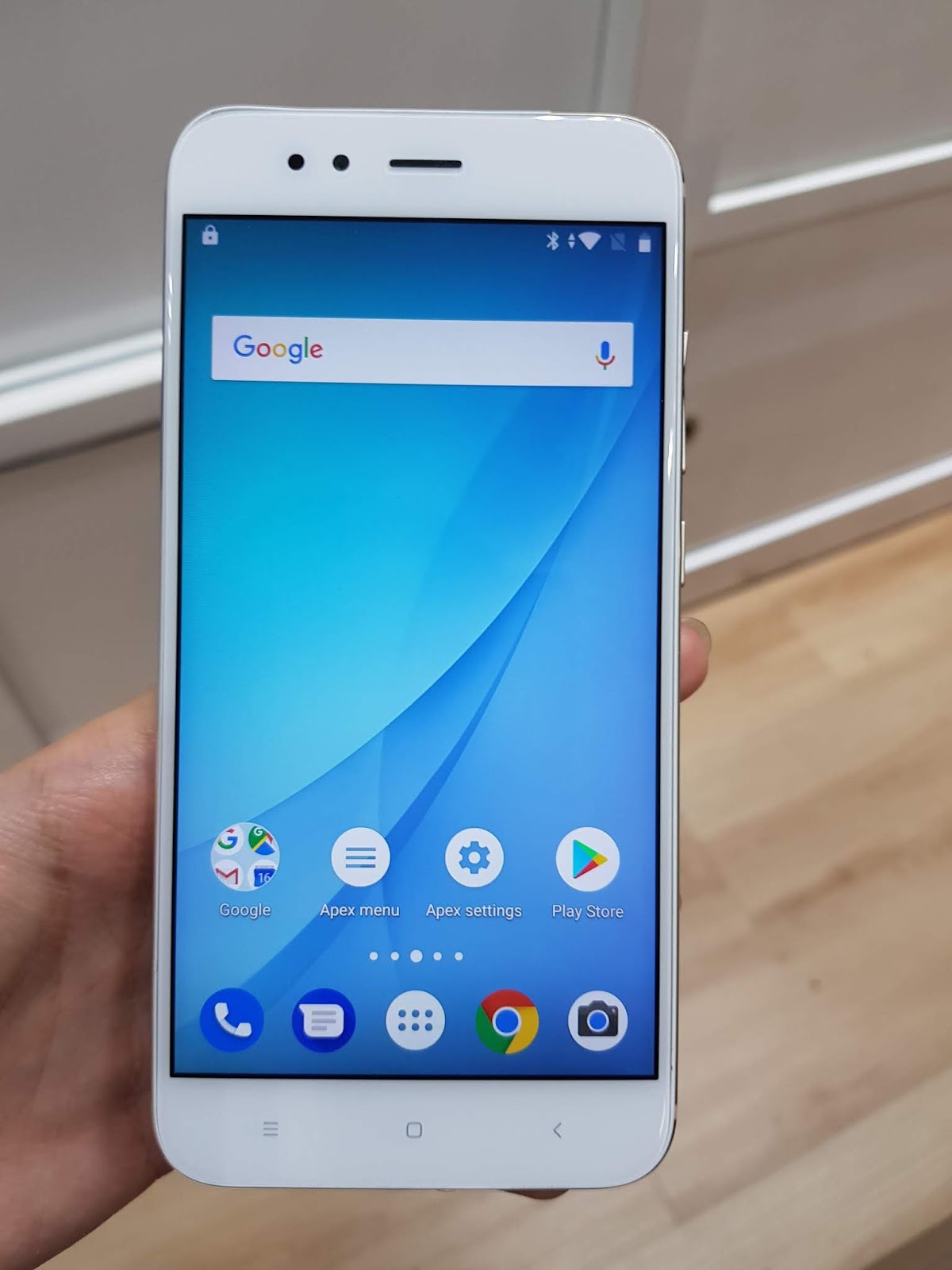
XiaoMi A1
This is XiaoMi A1 running on Google Android One Software
Receive this phone from one of my customer for repair
The phone was locked with PIN and he had forgotten it.
As Google has implemented the Factory Reset Protection feature it was impossible to earse the lockscreen by a simple factory reset
So what i did was by installing a software that can crash and hangs the lockscreen and google services
It was a tool written in Java by a developer.
In the end the lockscreen just hangs and it bypass me into the phone i went into the settings and reinstall the google services and remove the PIN
It was a successful project.
Subscribe to:
Posts (Atom)