Showing posts with label Android. Show all posts

Monday, August 30, 2021

Huawei Mate 30 Pro - Installing Google (GMS)


Huawei Mate 30 Pro - Installing Google (GMS)

I've receive many calls from customer asking to install Google (GMS) on their Huawei device

I've done 2. One of it is the Mate 30 Pro and the other model is P40 Pro

Today took up one more set. It also doesn't have Google Mobile Services (GMS)

This time round it is more harder to install Google (GMS) as Huawei has updated their devices with EMUI 11 (11.0.0.189) June 2021 Security Patch and now it runs on Harmony OS 2

So to Install the full Google (GMS). I would need to use software like the Hisuite Proxy to do it 

Downgraded from Harmony OS 2 back to EMUI 11 (11.0.0.189) and than downgrade again back to EMUI 10 (10.0.0.134)

From there the method to Install Google (GMS) can work

You can see that the Play Store, Gmail, Youtube and Google Map all runs well


Friday, February 19, 2021

Samsung Galaxy A51 - LCD and Housing Replacement

Samsung Galaxy A51
Today took up the repair job from a customer. The phone motherboard has been bent and the Screen is cracked severely
I was surprised when we heard that the phone fell from 20 storey of his apartment window to the 1st floor which cause this heavy damage
I and my technician we managed to repair it by changing
- A new LED Screen
- Side housing, including power and volume button
- Back Glass
After the repair the phone look as if it was new


Monday, December 21, 2020

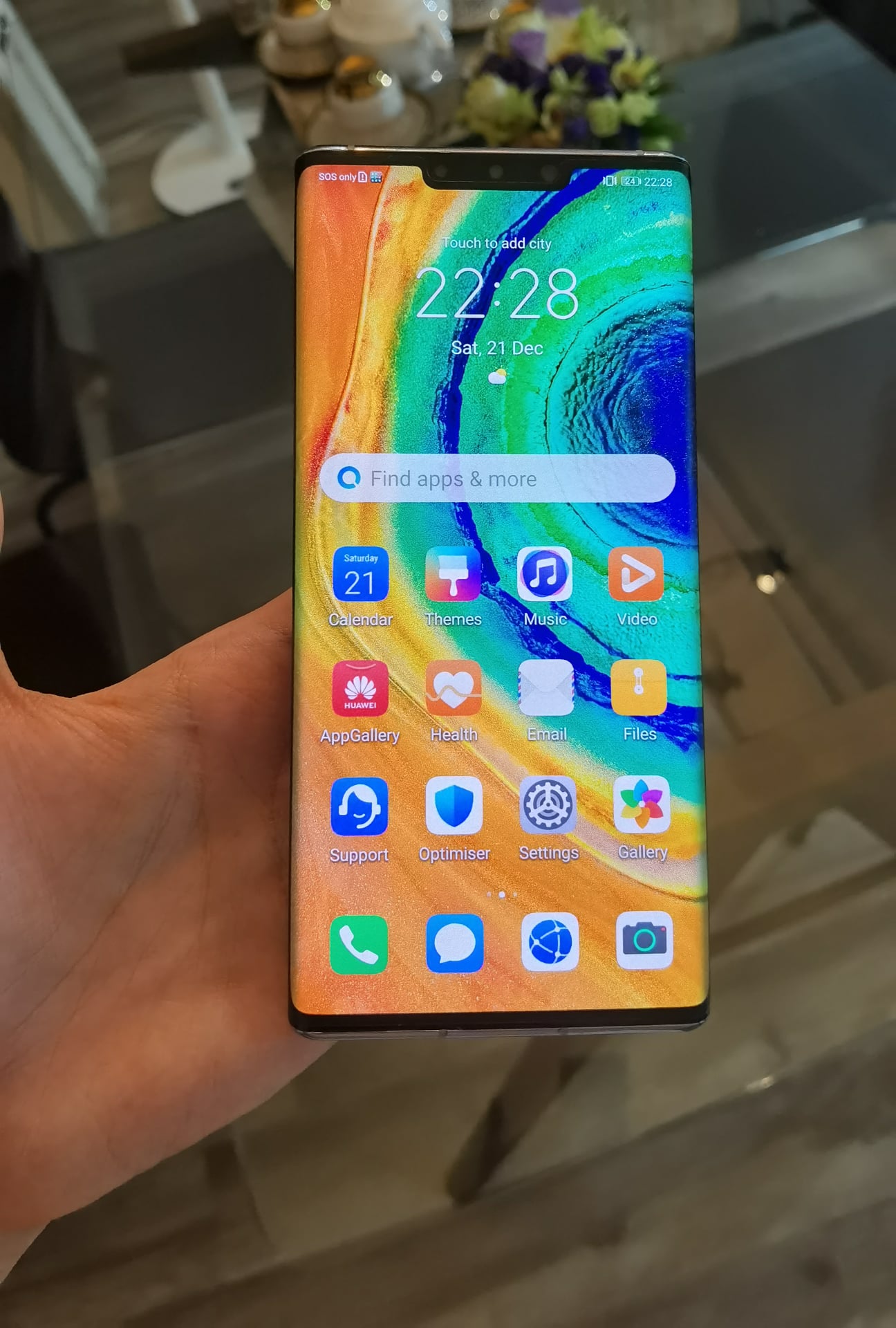
Huawei Mate 30 Pro - Installing Google (GMS) Project

Huawei Mate 30 Pro - Installing Google (GMS) Project

Huawei has been barred from providing Google Mobile Services on their Android powered mobile released after 2019.

Since it introduction of Huawei Mobile Services (HMS). It's has been an issue as many apps still rely on using Google API and didn't work properly without Google.

Apps like Grab (Transport) and Gojek didn't run properly as it rely Google for it maps

As I browse through the Huawei AppGallery there are still many popular apps not yet available and has to be sideloaded.


Got the Google Services (GMS) installed. As shown need to downgrade the firmware using hisuite proxy.

Friday, December 4, 2020

Huawei P40 Pro 5G - Installing Google (GMS)


I just got myself a Huawei P40 Pro 5G

It has one of the best Camera for now. The Camera is based on a LEICA Vario-Summilux H 1:1.8 - 3.4/18-125 ASPH

I can now leave my DSLR Camera at home. Since it is very heavy to carry around

The phone itself has no Google Mobile Services (GMS) and is using Huawei Mobile Services and AppGallery

I managed to Install the Google Mobile Services (GMS), Play Store, Youtube, Maps, Gmail into the phone and it works just fine

To downgrade the phone firmware, I used HiSuite Proxy it is a software that allows the phone to be downgraded back to a previous version so that the Google Installer Assistant (LZPlay) can work

The (LZPlay) app make use of the Mobile Device Management (MDM) to grant special permission. (This means that it grant super administrator access to install systems only app) The empty stubs that is being removed 


After the Google Services is installed. The phone can still be updated to latest version of Android using Over-The-Air (OTA) update the Google Services will still remain working

As long as you don't factory reset it would work just fine


Monday, November 16, 2020

Samsung Galaxy Note 20 Ultra (5G)

Samsung Galaxy Note 20 Ultra (5G) - Test Phone

Google Factory Reset Protection Password Lock - Unlocking/Bypass

While playing with the software, found that there is still bugs or glitch in the Android 10 system that can be easily unlock/bypass

Android build number: QP1A.190711.020.N986BXXU1ATI2

Security Patch Level: Sept 2020


Friday, August 21, 2020

Wednesday, July 22, 2020

Samsung Galaxy S7 Edge SM-G935F

Samsung Galaxy S7 Edge
Received it for repair. Not able to power on, battery life drain fast. Phone is stuck on the Samsung logo
I dismantled the phone and found no issue with the battery.
I downloaded the Samsung official firmware and flashed it. Now it is powering on but with FRP lock "On"
Build number: G935FXXS8ETC7
Android Security Patch Level: 1 Feb 2020
It is very hard to bypass the Google Factory Reset Protection (FRP) lock on the latest Android version since Samsung has patched it.
So by using the Factory Binary, I am able to turn the FRP lock to "Off" as shown in the picture
Now the device is fully functional


Friday, June 5, 2020

Google Pixel 2 XL

Google Pixel 2 XL

Receive it for repair. The phone keep bootlooping and hungs at the G "Powered by Android" bootup screen and not booting up

I downloaded the Factory Images for Pixel Devices from developers.google.com and using the adb and fastboot command to flash the stock firmware

It revert back to the official software that was shipped by Google.

"After 1st successful bootup the phone is still Google FRP lock. By downgrading the Android security patch level and Android 10 to 8

I successfully remove the Google account that was locked to the device.


Monday, April 6, 2020

Mi Max 3

Mi Max 3
Receive it for repair. This device came with China Rom. Which doesn't include Google Play Services and Framework
I unlocked the bootloader using fastboot I flashed TWRP and global version of MIUI 11 (android 10) stable.
As shown phone is booting up and fully functional


Asus Zenfone

Asus Zenfone
Phone is stuck in Google Lock prompting for username and password
Using some software bypass into the phone settings found that it had been updated to the latest Android Security Patch Level.
So what I did was by downgrading the firmware and Android security patch level to May 2019
Build number: PKQ1.WW_Phone-16.2017.1905.053-20190513
Device has been unlocked successfully.